Legal Research
Find the judgment or the section, and read the original
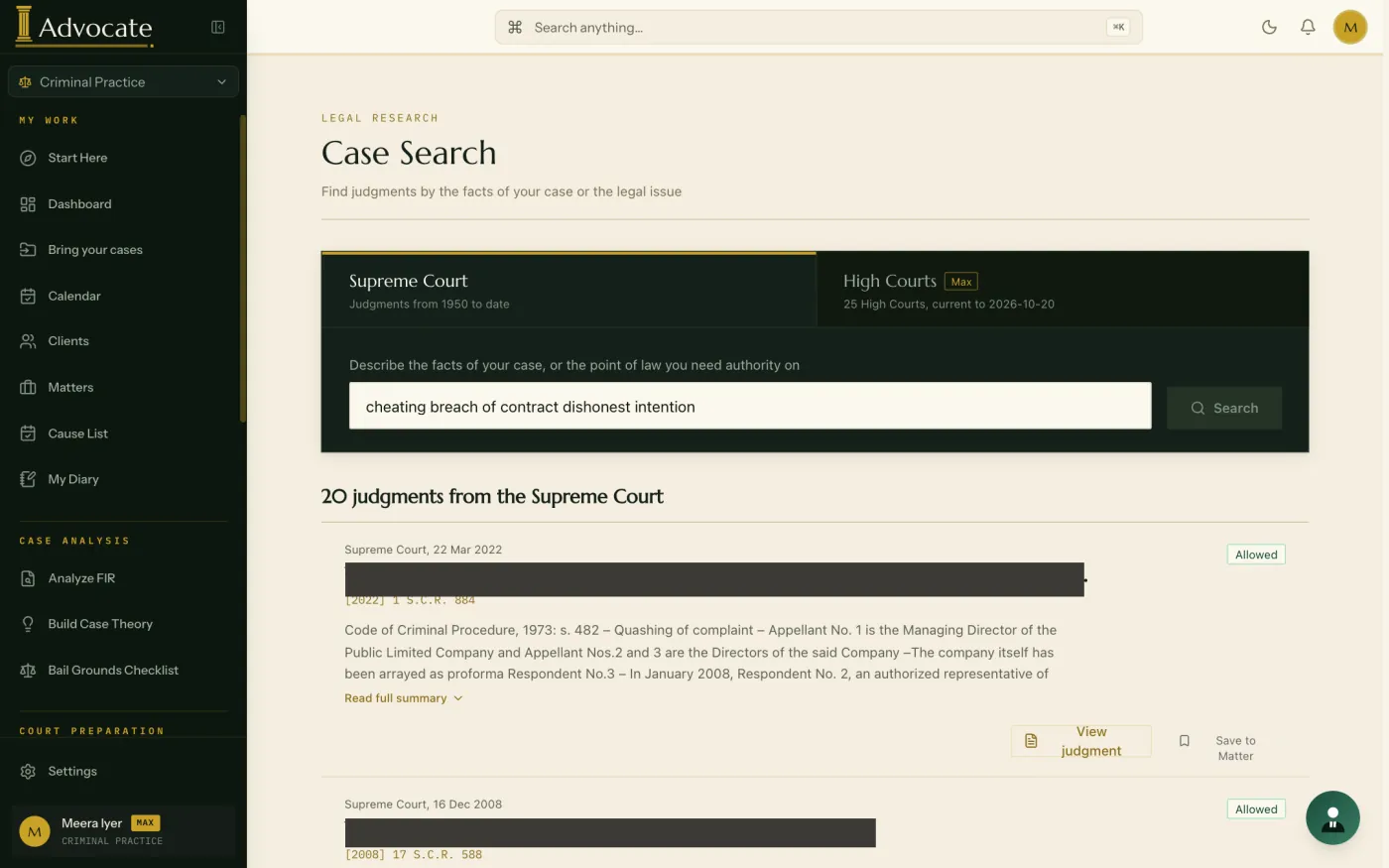
iAdvocate lets an Indian advocate search Supreme Court and High Court judgments and the sections of the BNS, BNSS and BSA from one place. Each result shows an extract from the record itself, not an AI summary.
What you can do
Search is part of the same workspace as your matters.
- Search Supreme Court judgments on a point
- Search High Court judgments, on the Max plan
- Open the original text of a judgment
- Save a result to the matter it belongs to
- Find the section that fits a set of facts when you do not know its number
- Search and read the articles of the Constitution
- Convert between IPC and BNS section numbers
How an advocate uses it
You need authority on a point before a hearing. You search the judgments, read the extracts, open the ones that look relevant and read them in full. You save the ones you will rely on to the matter, so they are with the file when you prepare.
You read the source
A search result is a starting point. Open the judgment, read it, and check that it is still good law before you cite it.
What it does not do
It does not give legal advice, predict what a court will do, or replace your reading of the record. You verify every fact, section and authority before you rely on it.
Questions
Does iAdvocate summarise judgments with AI?
No. Search results show an extract from the judgment itself, and you can open the original text.
Which laws and courts can I search?
The BNS, BNSS and BSA, the Constitution, and Supreme Court judgments. High Court judgment search is part of the Max plan.
Can I keep a judgment with my case?
Yes. Any result can be saved to a matter.